Ever finished a long workday with a stiff neck, tired eyes, or an aching back? You may blame the hours spent working, but your desk setup could also be part of the problem.
Many people spend hours sitting in chairs that offer little support, looking down at laptops, or working at desks that are too high or too low. Over time, these habits can make a normal workday uncomfortable.
An ergonomic office setup helps you arrange your workspace to suit your body and the way you work. Here’s what that means and how you can make your desk more comfortable, whether you work from home or use a coworking space in Surat.
What Is an Ergonomic Office Setup?
An ergonomic office setup is a workspace arranged to support comfortable posture and reduce unnecessary physical strain while working.
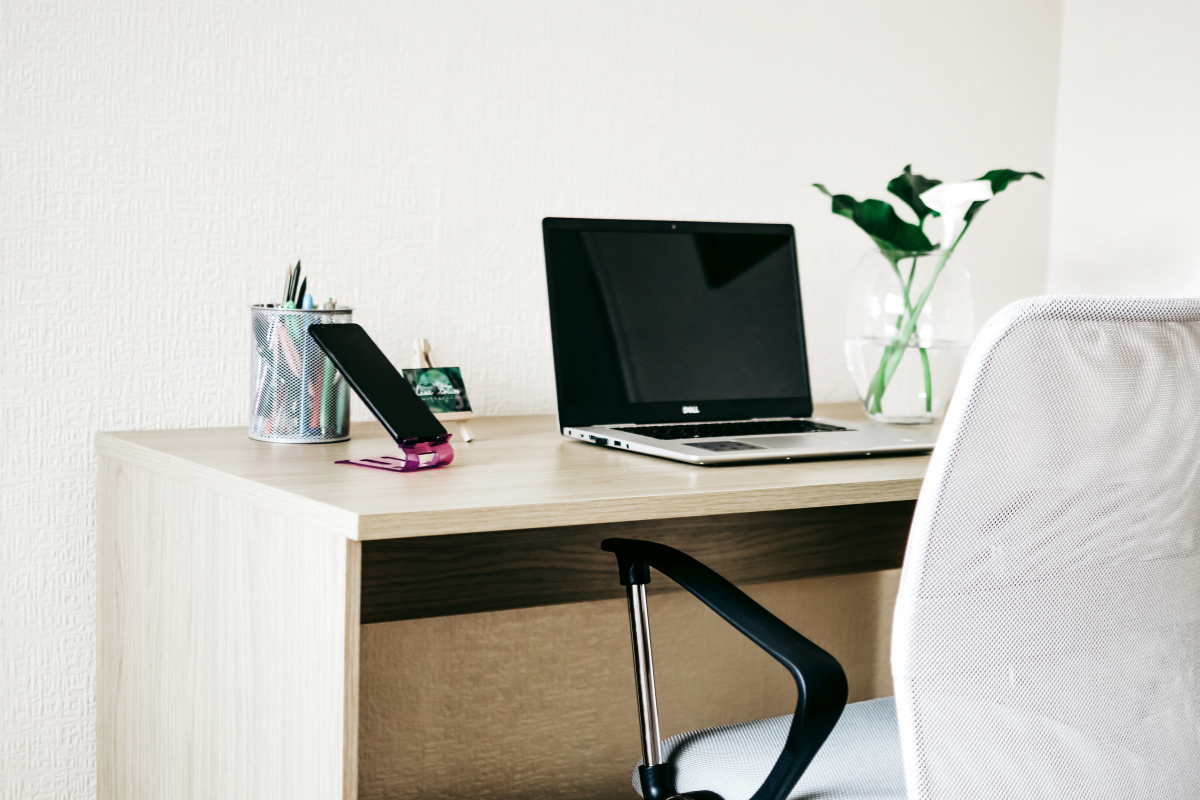
It involves placing your chair, desk, computer screen, keyboard, and other equipment at suitable heights and distances. The aim is to help you work without constantly bending your neck, reaching for your mouse, or sitting in an awkward position.
For example, if your laptop sits too low, you may spend hours looking down at the screen. Raising it and using a separate keyboard can help you keep your neck in a more comfortable position.
Good office ergonomics also considers lighting, available desk space, and how often you move during the day.
5 Essentials of an Ergonomic Office Setup
You can improve your workstation by checking a few everyday items.
1. A Chair That Supports Your Back
Your office chair plays a big role in how comfortable you feel after several hours of sitting.
Look for a chair with good lower-back support and adjustable height. Your feet should rest comfortably on the floor or a footrest, with your knees roughly level with your hips.
Keep your shoulders relaxed and use the backrest instead of leaning forward toward your laptop.
If your chair is too high, your feet may hang above the floor. If it is too low, your knees may sit higher than your hips. Adjust the height until your sitting position feels natural.
2. A Desk at a Comfortable Height
Your desk should allow you to work without raising your shoulders or stretching your arms.
When typing, keep your elbows close to your body and bent at roughly 90 degrees. Keep your forearms comfortable, with enough room under the desk for your legs.
Keep frequently used items, such as your notebook, phone, or water bottle, within easy reach.
If your desk is too high, adjust your chair and add a footrest. If your desk is too low, you may need a different desk or an adjustable workstation.
3. A Screen Positioned Correctly
A poorly positioned screen can make you lean forward or look down for hours. Place your monitor directly in front of you, about an arm’s length away. The top of the screen should generally be at eye level or slightly below.
If you use a laptop for long periods, consider a laptop stand with an external keyboard and mouse.
You should be able to read the screen comfortably while keeping your neck relaxed. Adjust the distance or text size if you find yourself leaning closer to read.
4. A Keyboard and Mouse Within Easy Reach
You shouldn’t have to stretch your arms just to type or use your mouse. Keep both close, with the mouse beside the keyboard.
Try to keep your wrists straight while typing, rather than resting them on the hard edge of the desk. If your desk feels cramped, move a few things around to give your arms more room.
5. Lighting That Works for Your Eyes
Reading from a screen all day can strain your eyes, especially if the room is too dark or light reflects off your monitor.
Try to use natural light, but avoid sitting where the sun shines straight onto your screen. Moving your monitor slightly or adjusting the blinds can help. A desk lamp helps when you’re reading papers, and if your screen feels too bright, turn the brightness down a little.
Small Habits That Make Long Workdays More Comfortable
Even with a good desk and chair, sitting in one position all day can leave you feeling stiff. A few small changes during the day can help.
- Move around a little: Change your sitting position now and then instead of staying in the same posture for hours.
- Get up between tasks: Stand, stretch, or take a short walk during breaks between calls or meetings.
- Give your eyes a break: Look away from the screen regularly and focus on something farther away.
- Keep things within reach: Keep the items you use most often nearby so you don’t have to constantly lean or twist to get them.
If you work on a laptop all day, try to stand up between calls or after you finish a task. Even a short break away from your desk can help.
How Can a Coworking Space Support an Ergonomic Workday?
Working from home comfortably isn’t always easy. You might not have the right chair, enough desk space, or good lighting.
A coworking space can simplify things with comfortable furniture, well-lit work areas, and quiet spots for focused work.
At Excluzo Business Centre & Coworking Space, you can look for features such as ergonomic furniture, natural lighting, and dedicated quiet areas when considering a coworking space in Surat.
If you’re visiting, sit down at a workstation and see how it feels. A few minutes can tell you more than office photos.
FAQs
Do I need an expensive chair for an ergonomic office setup?
Not necessarily. Look for a chair that supports your lower back and lets you adjust the height so your feet rest comfortably on the floor.
Can I make my laptop setup more ergonomic?
Yes. Raise the screen to eye level and use a separate keyboard and mouse. This makes it easier to keep your neck and wrists in a comfortable position.
Is a standing desk necessary for good ergonomics?
No. You can work comfortably at a regular desk too. Just avoid sitting in the same position for hours and get up to move around during the day.
Why do I still feel uncomfortable with an ergonomic chair?
The chair might not be the only issue. Check your desk height, screen position, and how you’re sitting. Staying in one position for too long can also leave you feeling stiff.
Can I maintain an ergonomic setup in a shared office?
Yes. Adjust your chair and screen to suit your height, keep your essentials nearby, and make sure you have enough room to work without stretching or hunching.
Find Your Workspace at Excluzo
If your current work setup isn’t comfortable, it might be time for a change. Visit Excluzo Business Centre & Coworking Space to check out the seating, lighting, and available facilities. See the space for yourself, ask the team about your requirements, and decide whether it fits your workday.
Get in touch with Excluzo to plan a visit.